At work
A signature, a search, copy and paste between two windows: the things you do a hundred times a day, with a single key.
Macros for Windows 10 and 11
Macro Hub repeats what you do, so you don't have to. Record a macro or build it by dragging keys, choose how it starts, and use it in your programs and games.
Windows 10 and 11, 64-bit · Free version at no cost · 7-day Pro trial
How it works
Record what you do, or drag keys onto the timeline.
With a key, a combination or a mouse button: once, on a loop, or for as long as you hold it.
In any program or, with Pro, only in your games. Turn it on and off with a switch.
The editor
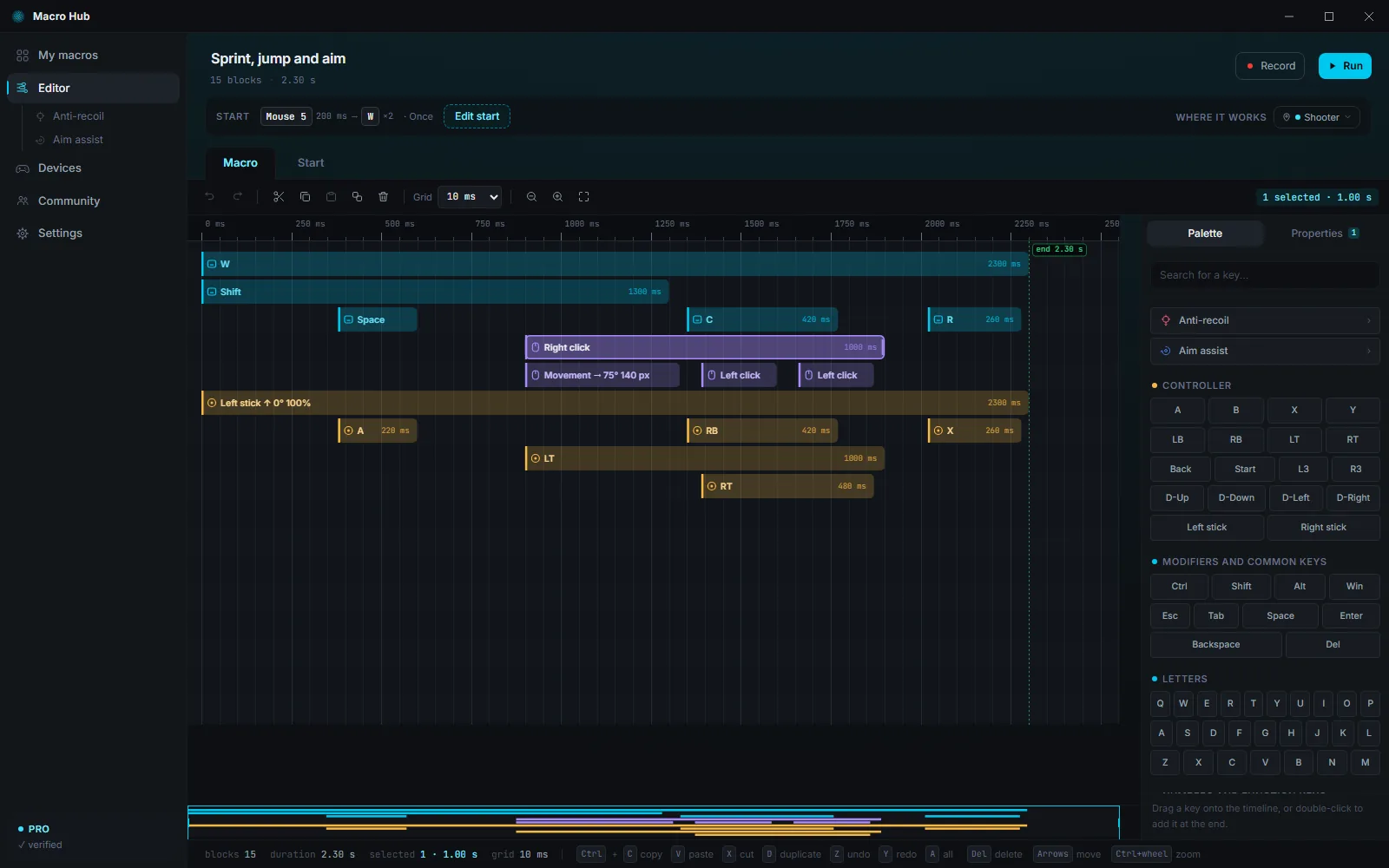
Where a block starts, the key goes down. The longer the block, the longer the key stays pressed. Keyboard, mouse and controller sit on the same timeline, one under the other: you see the whole macro at a glance.
Press Record, switch to your program and do what you always do, with keyboard, mouse or controller. Stop with the Pause key and everything is on the timeline, ready to fine-tune.
Grab a key from the palette and drop it wherever you want. Stretch the block to hold the key longer.
A grid from 1 to 100 ms and exact values in Properties. Macro Hub keeps time even with its window hidden, and small delays never add up.
Moving the mouse is a block too: choose the direction, distance and speed. With Pro, controller sticks and trigger pressure as well.
With Pro, the start and duration of each block can vary slightly on every run, within the margin you choose.
Multi-select, copy and paste, undo and redo, zoom. Macros save automatically as you work.
The whole editor, one block at a time:Guide
Who it's for
A signature, a search, copy and paste between two windows: the things you do a hundred times a day, with a single key.
Perfectly timed combos and remapping, with keyboard and mouse. With Pro, controllers too, and profiles that turn on with your game.
Move commands to the keys that suit you best, turn a single key into a long sequence, and let Macro Hub handle repeated clicks.
Features
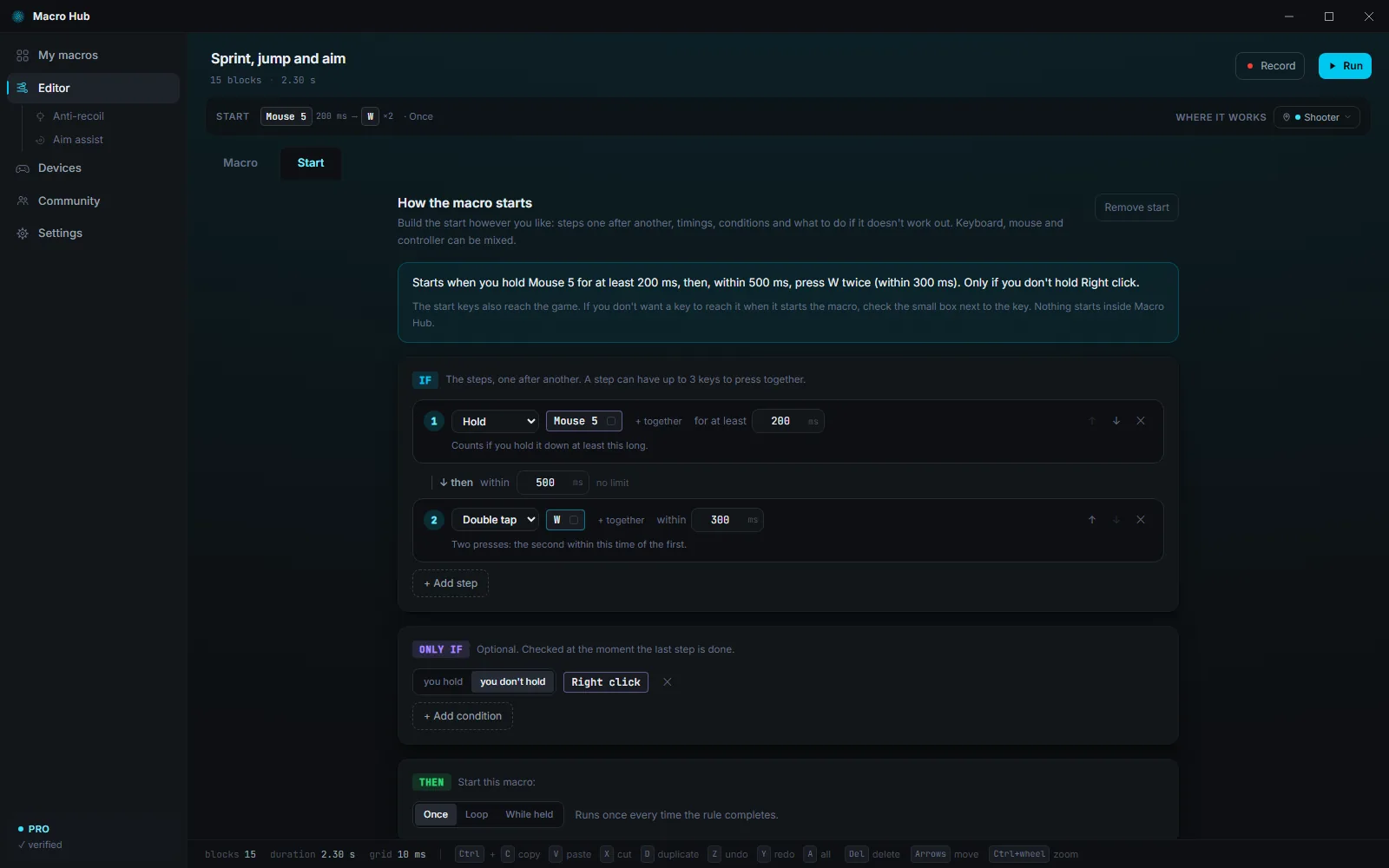
A key, a combination or a mouse button. With Pro, the controller too, plus multi-step rules with “only if” and “otherwise”.
On a loop it starts over by itself until you stop it; while held, it keeps going as long as you hold the key. One run lasts up to 5 minutes.
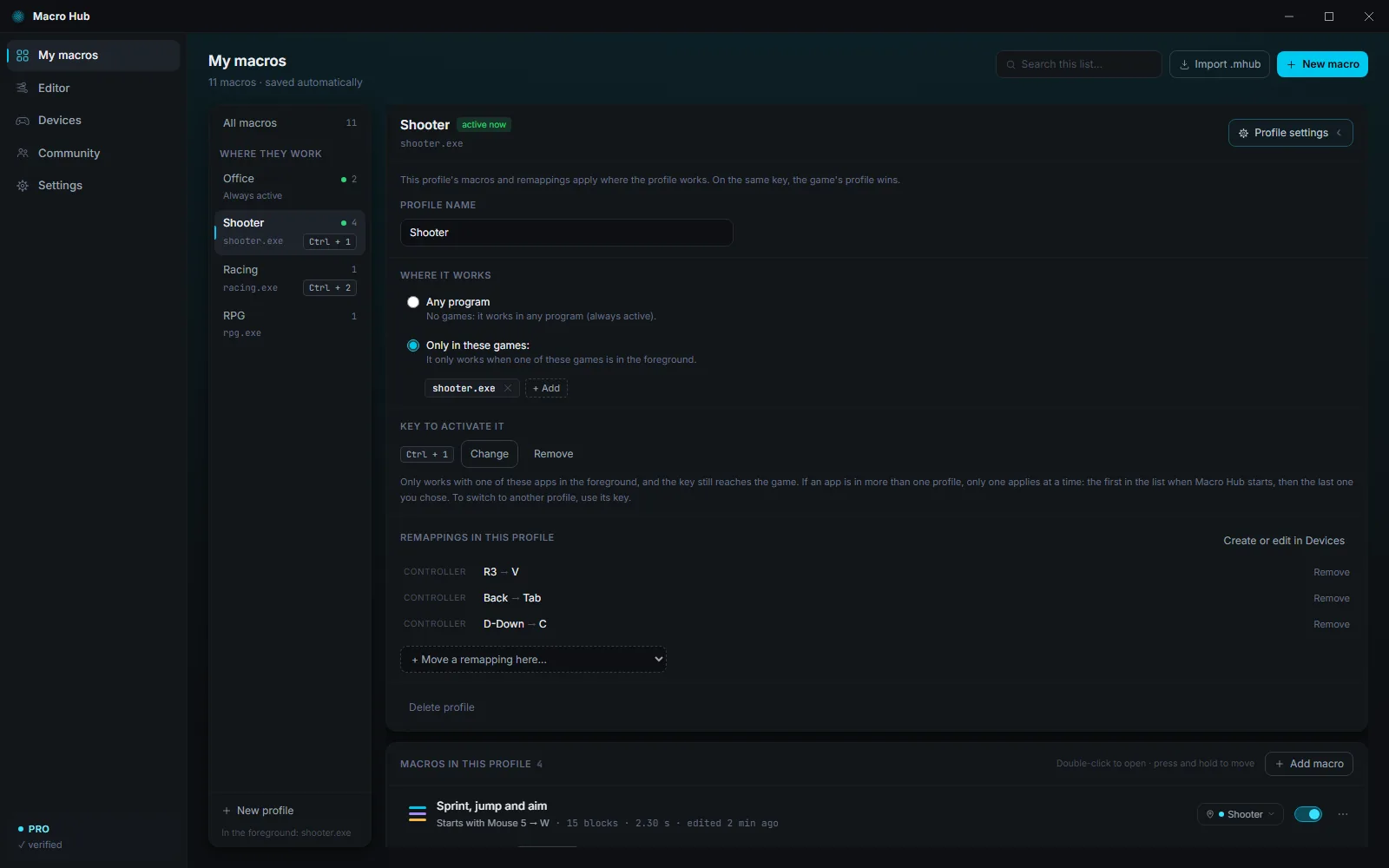
A profile without games works in any program. With Pro, a profile can have its own games and turns on when one of them is in the foreground.
A key or mouse button becomes another one, or nothing at all. With Pro, in layers too: it only applies while you hold another key.
Xbox, PlayStation, Switch, 8BitDo and many more: Macro Hub recognizes them by itself, no drivers needed. With Pro you test them live, remap them and start macros with them.
An Xbox 360 or PlayStation 4 controller that games see as real: it mirrors yours, already remapped, removes stick drift and receives the buttons pressed by macros.
Ctrl + Alt + Esc stops every macro and releases all keys. If Macro Hub ever closed suddenly, a small guardian releases any keys left held down.
If you like, it starts with Windows, hidden next to the clock, with your macros and remapping ready to go.
Export any of your macros to a .mhub file and share it with anyone. It's just a list of keys and timings, never a program.
Italiano, English, Deutsch, Français, Español, Português, Polski and Nederlands. It starts in your Windows language, and you can switch anytime.
Every feature, step by step and with animations:Guide
Inside the app
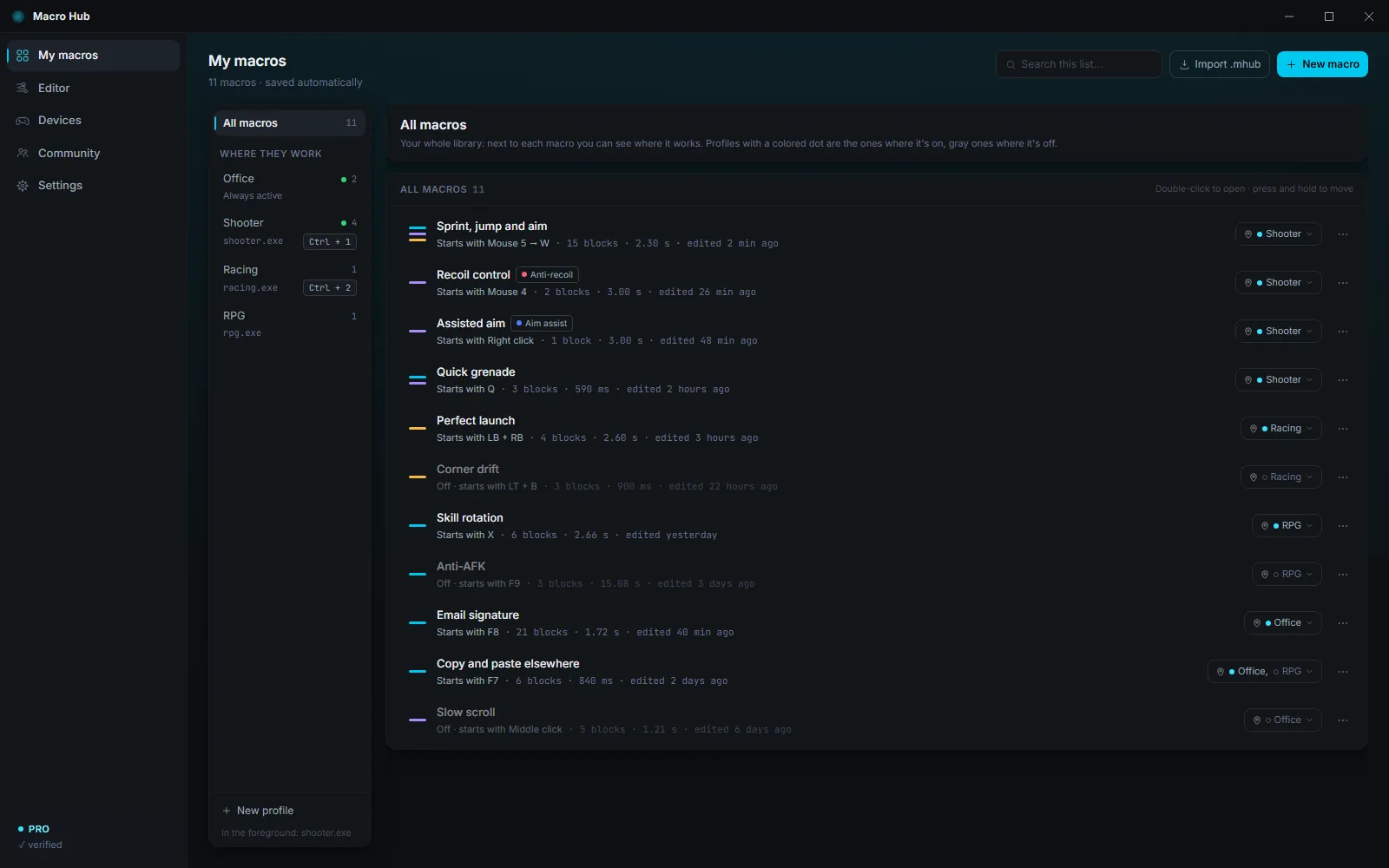
Real screenshots of the app, with a few sample macros.
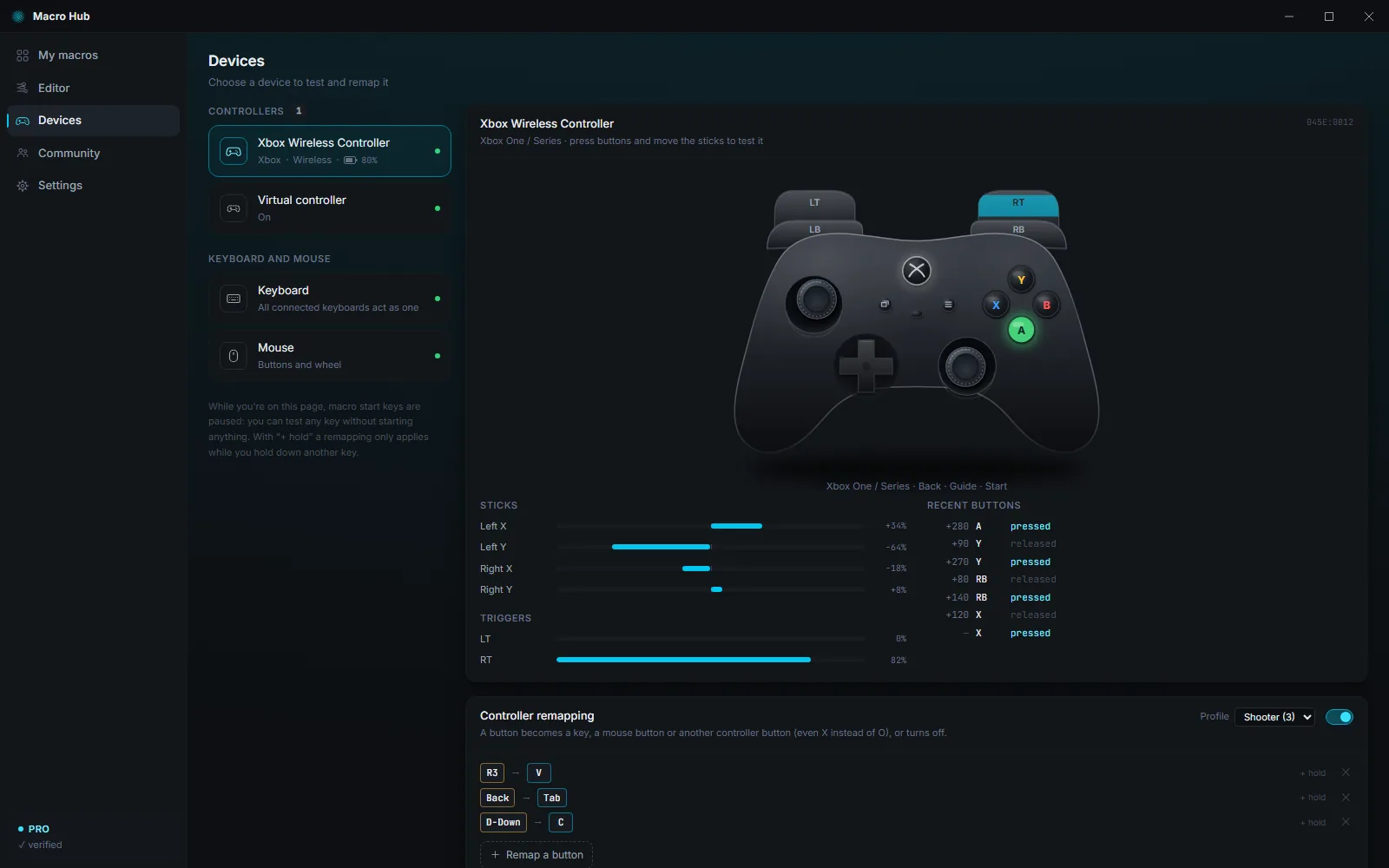
Games
Profiles that turn on with your game, remapping, a virtual controller and two blocks built for shooters: anti-recoil and aim assist.
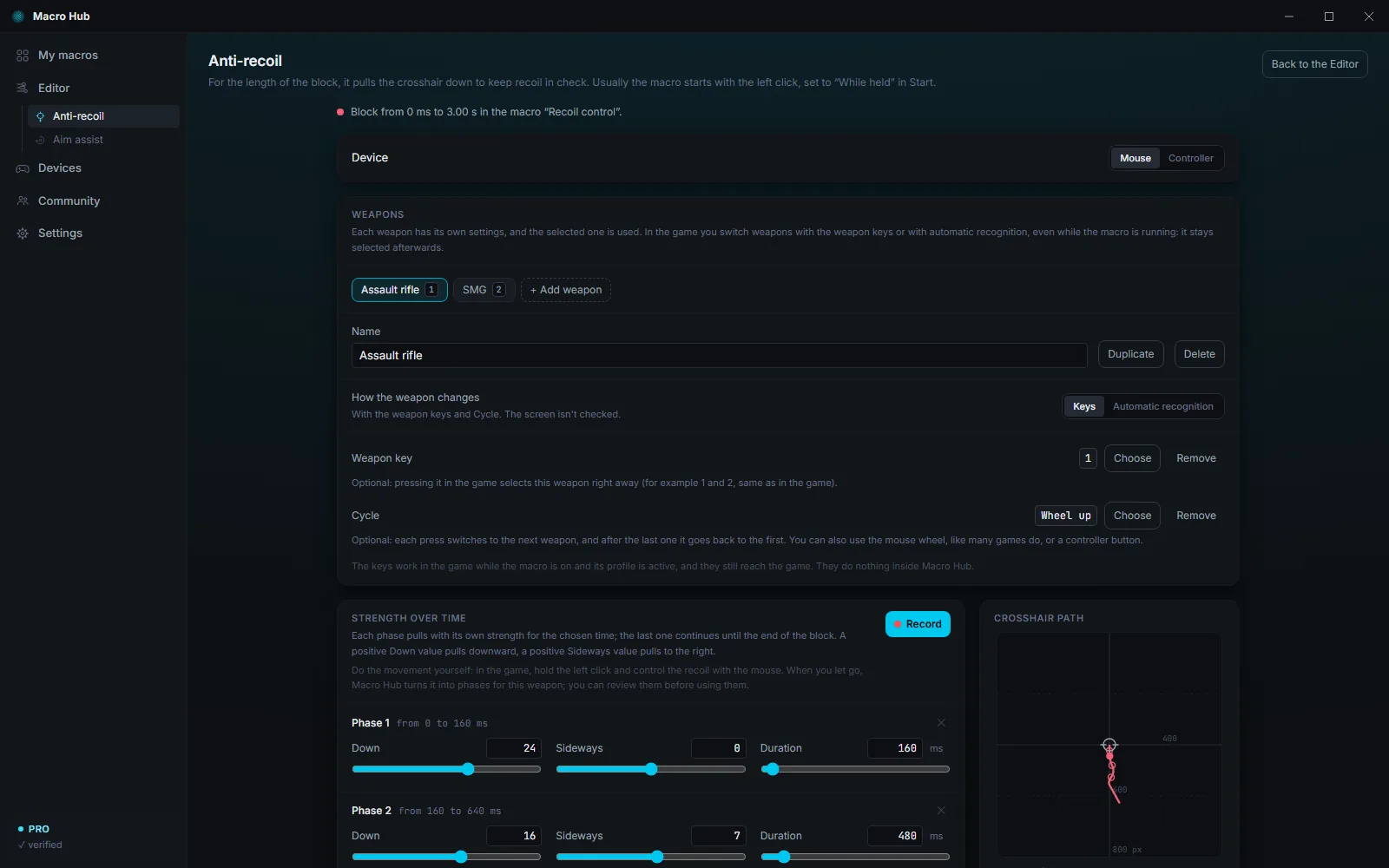
For the length of the block, it pulls the crosshair down with the strength you set phase by phase. In Free, with the mouse and one weapon; with Pro, with a controller too and up to 20 weapons.
Do the movement yourself once, in the game: Macro Hub turns it into the weapon's phases, and you see them before you use them.
Draw a box around the weapon icon in a game screenshot: Macro Hub only looks there and picks the weapon by itself.
While the block is running, usually while you hold fire, Macro Hub releases and presses it again by itself, at the rate you choose.
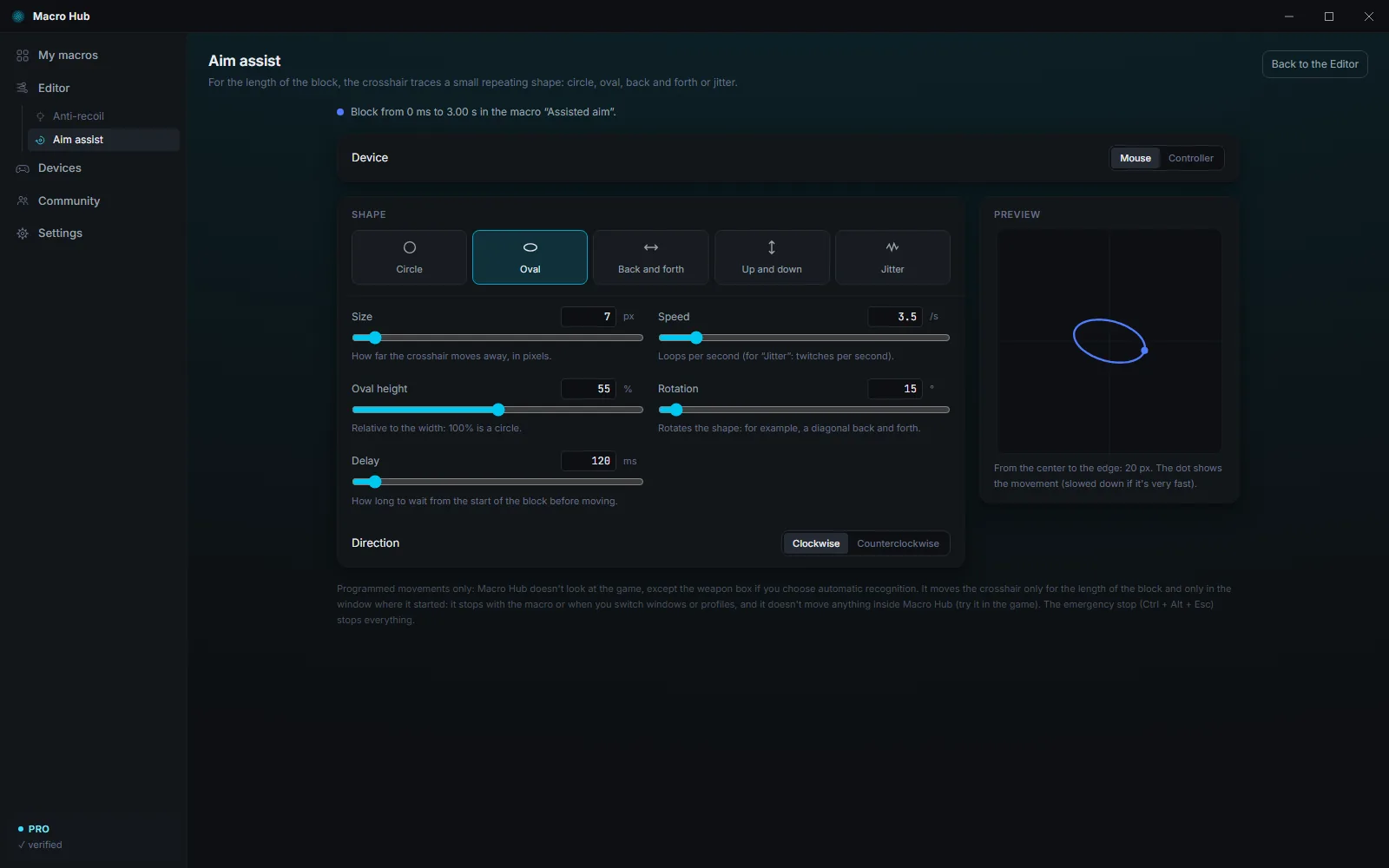
The crosshair traces a small repeating shape: circle, oval, back and forth, up and down or jitter. Programmed movements only: Macro Hub doesn't look at the game.
Open the game and its profile turns on by itself, with its own macros and remappings. Several profiles for the same game? Switch between them with a key.
Already in the app's Community, for mouse and keyboard and for controller. The controller versions, weapon switching and aim assist require Pro.
Anti-recoil and aim assist only move for the length of the block and in the window where they started. They stop with the macro or when you switch windows or profiles, and they don't move anything inside Macro Hub.
Community
On the Community page you can download macros published by other people, or publish your own. Each card tells you what the macro does, which devices it uses and whether it needs Pro.
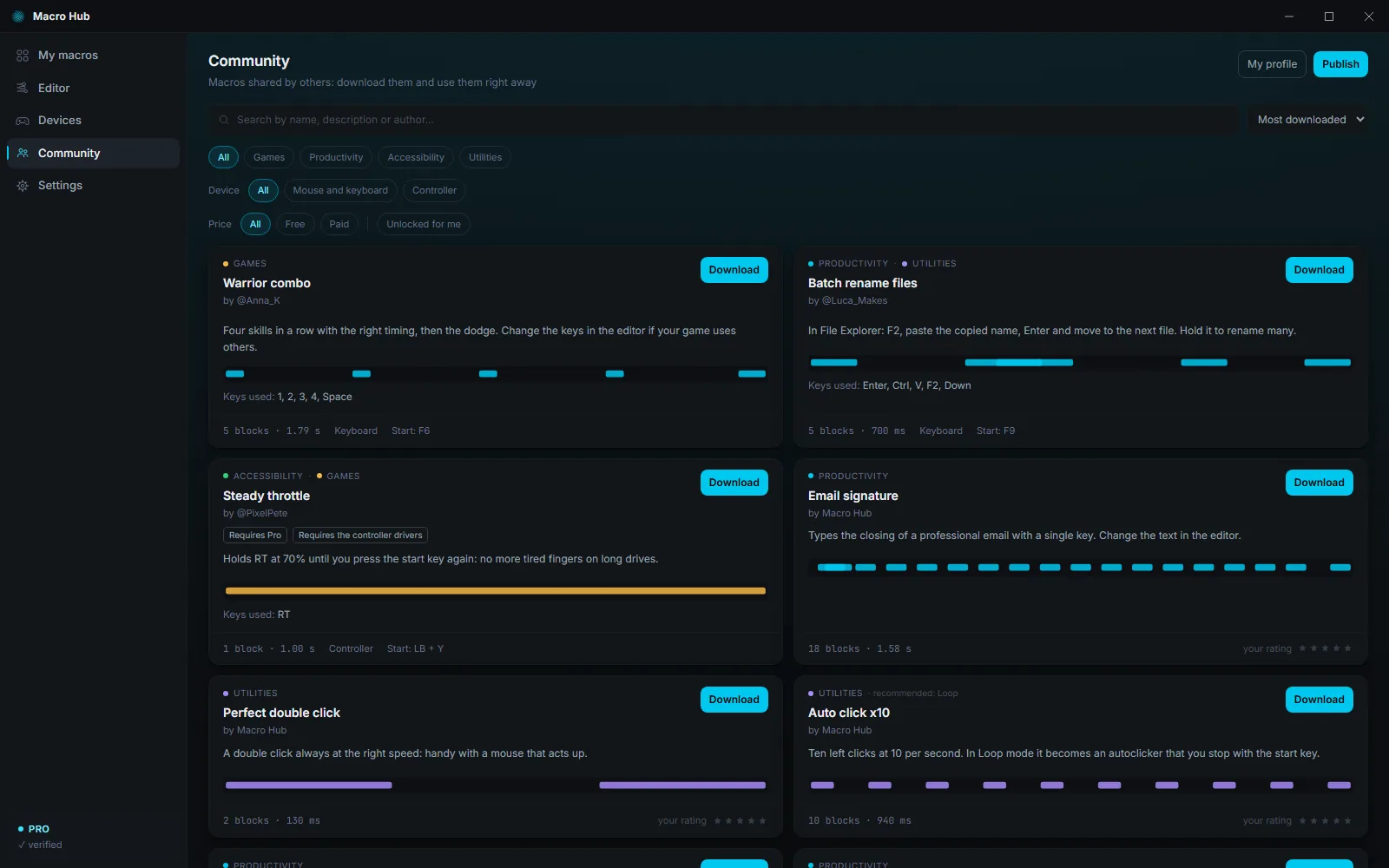
Even without internet you'll find ready-made macros: email signature, perfect double click, auto click, area screenshot, slow scroll and the game examples.
A downloaded macro arrives turned off. A red warning tells you if it types text, uses system keys or moves the crosshair. Macros published by others never press the Windows key.
Choose an author name and publish for free, with no email or password: your Macro Hub Code is all you need. First you accept the Community rules: for example, no cheats for online games.
Sellers approved by Macro Hub can sell copy-protected macros: buyers can use them but can't see their blocks, and the file doesn't work on other PCs. The seller sets the price, and you pay the seller directly.
Payment for macros happens outside Macro Hub: Macro Hub doesn't collect the money, doesn't guarantee the sale and can't give refunds.
Safety and privacy
Macro Hub presses keys for you, so it has to be reliable. Here's what it does, and what it doesn't.
No email, no password. On first launch, Macro Hub creates your Macro Hub Code by itself, and it contains no data about you or your PC.
Macros, settings and the screenshots for weapon recognition stay on your PC: only the macros you export or publish leave it.
When it opens, Macro Hub checks for updates and verifies your trial or license, with your Macro Hub Code and a PC fingerprint that reveals none of its data. What you press stays on your PC.
No ads and no tracking. For statistics, the server counts how many apps open each day, without storing IP addresses.
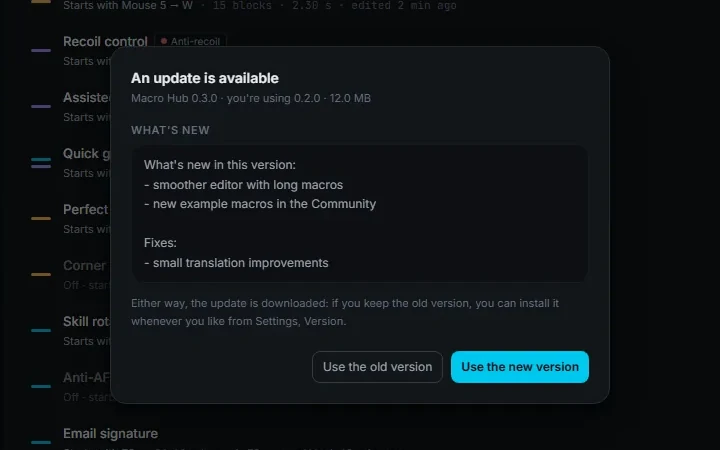
Every time it opens, it checks for a new version and never installs anything without asking. Every version carries two signatures: without both, it won't install.
Ctrl + Alt + Esc or “Stop all macros” next to the clock stops everything. Inside Macro Hub, remapping doesn't apply and the left click is never remapped.
A .mhub file is just a list of keys and timings: opening it installs nothing, and the macro arrives turned off. Before turning it on, check in the editor what it presses.
No drivers for keyboard and mouse. The virtual controller uses ViGEmBus and HidHide by Nefarius, free and already included: you install them yourself, with one click.
Free and Pro
The Free version costs nothing and never expires. Pro unlocks every feature for a year, and you can try it free for 7 days.
Free of charge
Never expires
For everyday macros, with keyboard and mouse.
All features
On request
Write to X · One-year license · 7-day free trial
If you also use a controller, play a lot, or simply want it all.
| Feature | Free | Pro |
|---|---|---|
| Timeline editor, recording, import and export | Included | Included |
| Keyboard and mouse macros | Included | Included |
| Macros on at the same time | 3 | All |
| Start with a key, a combination or a mouse button | Included | Included |
| Start rules: multiple steps, timings, “only if” and “otherwise” | Not included | Included |
| Keyboard and mouse remapping | Included | Included |
| Profiles that work in any program | Included | Included |
| Layers and profiles with games | Not included | Included |
| Controller: tester, remapping, start keys | Not included | Included |
| Virtual controller (Xbox 360 or PlayStation 4) and controller blocks in macros | Not included | Included |
| Random timing variation | Not included | Included |
| Anti-recoil | Mouse, 1 weapon | Mouse and controller, up to 20 weapons |
| Anti-recoil randomness, rapid fire and recording | Not included | Included |
| Screen recognition of the weapon | Not included | Included |
| Aim assist | Not included | Included |
| Community: download and publish macros | Included | Included |
| Emergency stop, updates, 8 languages | Included | Included |
| Price | Free of charge | On request |
Write to X.
Get your license key.
In Macro Hub, open Settings, paste the key under License and press Activate.
How to activate it, step by step:Guide

Free, for Windows 10 and 11. With an internet connection, the Pro trial starts by itself on first launch.
Free download for WindowsDownload for freeInstaller for Windows 10 and 11, 64-bit
Help
Can't find your answer? Write to X
Step by step, with animations:Guide
Yes. The Free version costs nothing and never expires: keyboard and mouse macros (3 on at the same time), remapping, profiles for any program, anti-recoil with the mouse and the Community. Pro unlocks everything else for a year: to get it, write to X.
It starts by itself the first time you open Macro Hub with an internet connection: 7 days with every Pro feature, nothing to enter. It's tracked by the server, one per PC. When it ends, Macro Hub stays Free and all your macros stay.
Write to X: you'll receive a license key. In Macro Hub, open Settings, paste it under License and press Activate (internet required). It lasts one year from its first activation.
Not for the Free version: macros work offline too. Internet is needed for the trial and Pro, which Macro Hub verifies with the server every time you open it, for the Community and for updates. If the connection drops after the check, Pro stays active until you close the app.
Macro Hub recognizes Xbox, PlayStation, Switch, 8BitDo and many other controllers by itself, over USB or Bluetooth, with no drivers. The button tester, remapping, starting macros from the controller and the virtual controller are Pro features; the virtual controller uses free drivers that are already included, which you install yourself with one click.
If the game runs as administrator and Macro Hub doesn't, Windows blocks the keys Macro Hub presses: when you try the macro with Run, the app tells you. Some games also ignore keys pressed by a program. Try the macro in Notepad first, then in the game, and check that it's on in an active profile.
Press Ctrl + Alt + Esc: every macro stops and all keys are released, in any program. You can change the combination in Settings. If Macro Hub were closed suddenly, a small separate guardian releases any keys left held down.
On your PC: Macro Hub saves them automatically as you work. To keep a copy or share them with a friend, export them to a .mhub file.
No. The recovery code moves your Macro Hub Code to the new PC, along with your Pro license, your listings and the macros you bought; the old PC is deactivated. Bring your other macros over with .mhub files. Keep your recovery code somewhere safe and don't share it with anyone.
Macro Hub is a new program, and its installer isn't yet signed with a certificate that Windows recognizes: SmartScreen warns about programs like this. Click “More info” and then “Run anyway”. Only download Macro Hub from macrohub.it.
It can happen: to an antivirus, a program that presses keys for you can look suspicious. Only download Macro Hub from macrohub.it. If your antivirus blocks it, write to X.
Every time it opens, Macro Hub checks for a new version and shows you what's new: you choose whether to use it now or later. It never installs anything without asking you, and your macros stay. Only in rare emergencies does an update become required: then you need to install it to keep using the app.
Write to X: we'll tell you how to get a license and answer your questions about Macro Hub.
Write to X